How do I use AI Components in my Blutui project?
Learn how to use AI Components in your Blutui project.
Introduction
Blutui AI Components accelerates the development of your Blutui site by enabling you to generate custom components. This facilitates easy editing within Canopy, Blutui's site editing interface.
Prerequisites
Ensure you use the tailwindcss or tailwindcss-js Canvas
Getting started
Access Blutui AI components
- Navigate to Blutui AI Components.
- If you don't have an account, create a Blutui login by signing up on the AI app.
Generate components
Once logged in, you can start typing the description of the component you want to generate in the Generate Component textbox.
Optionally, you can choose a component from the available bubbles.
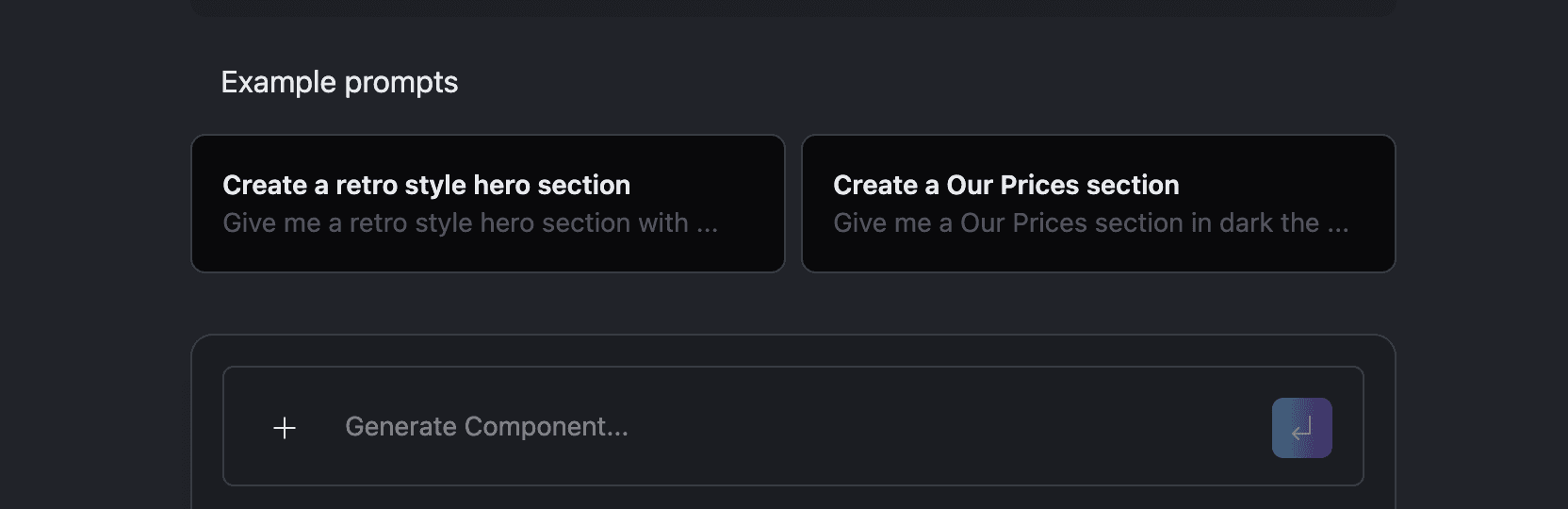
After describing your desired component, click the submit icon. Your component will now be generated.
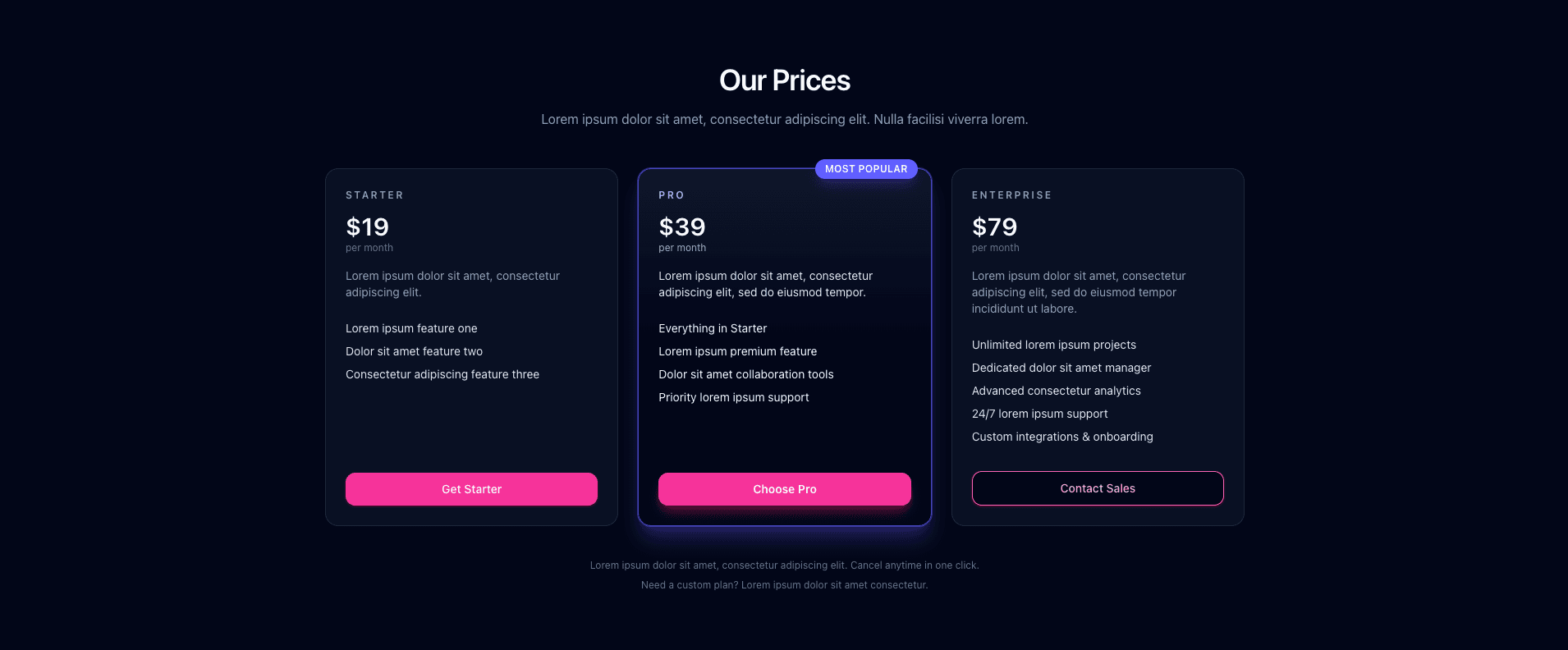
Give me a Our Prices section in dark theme with a pricing table.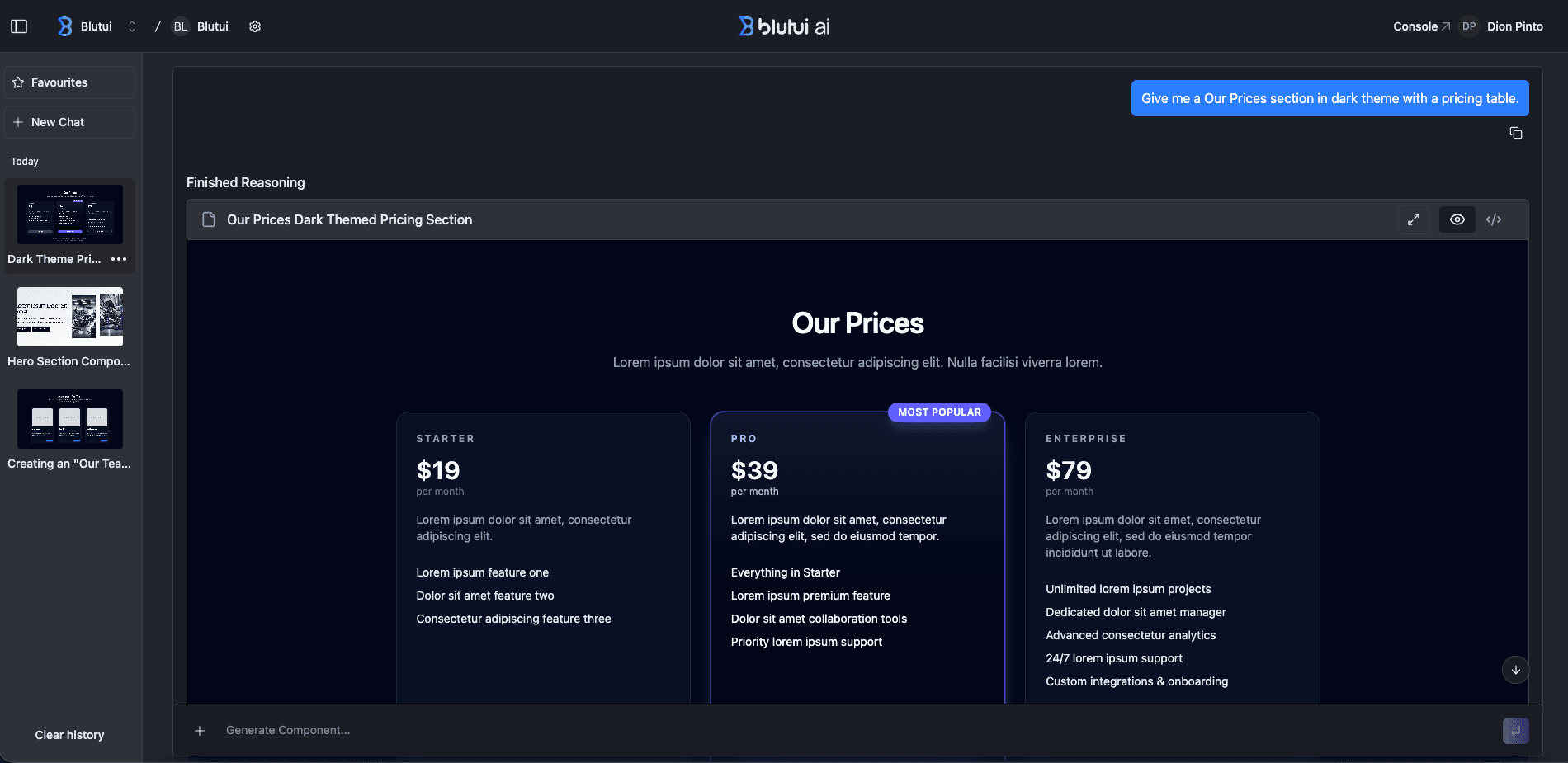
Refine your components
After generating your component, you can iterate and refine it to better suit your needs.
Make the buttons pink.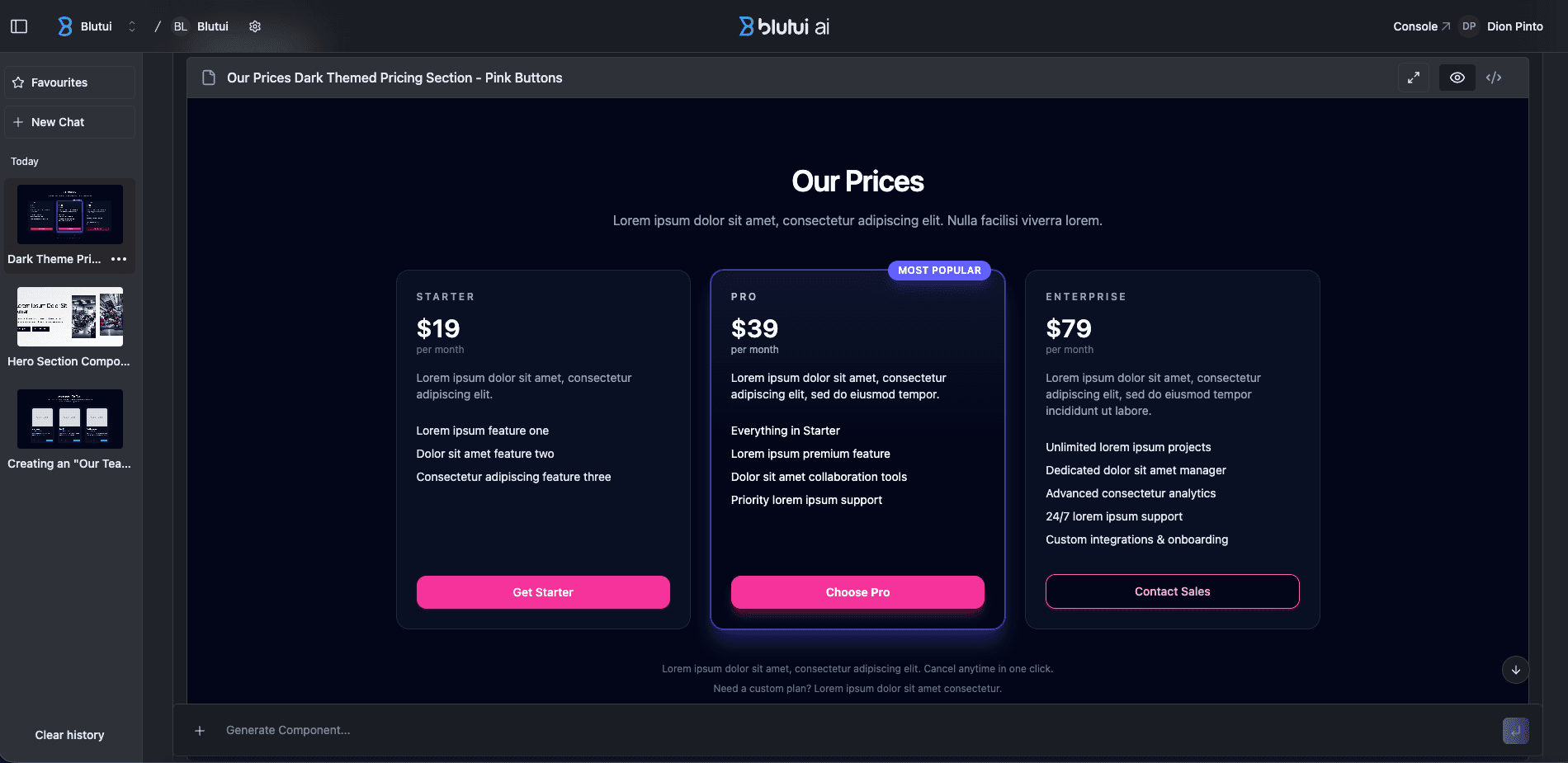
You can keep refining your component until you are happy with it.
Edit the code in real-time
After each iteration, you have the option to view either the visual representation of the component and its code.
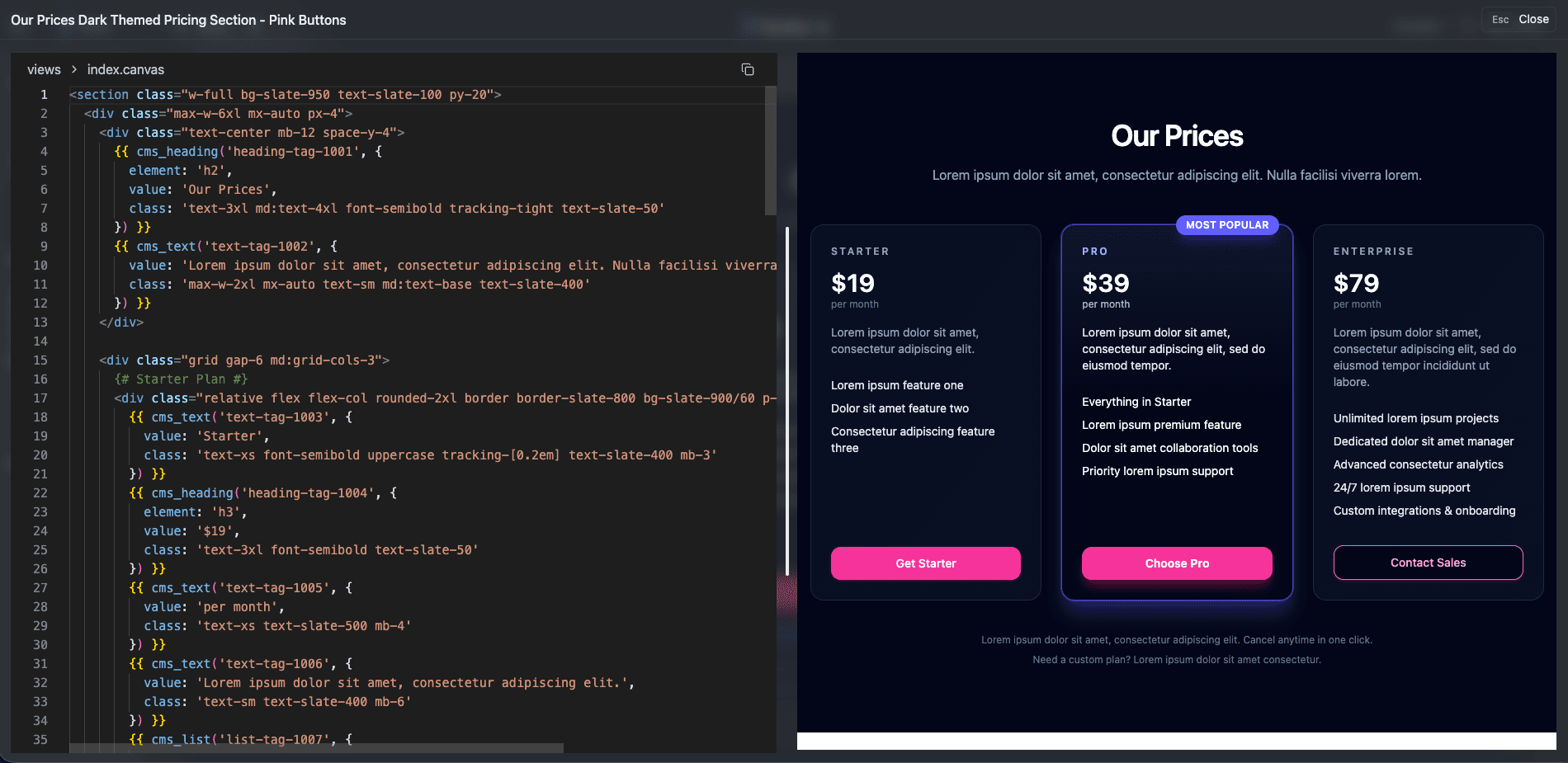
This allows you to toggle between the component's look and its code at every stage, making customization simple and intuitive.
You can directly edit the component's code. Any changes you make will instantly update the UI preview on your screen, allowing you to see your adjustments in real time. Once you're satisfied with the modifications, click Save Changes to keep them.
If you decide not to apply the changes, you can simply choose Discard to revert to the previous version. This feature gives you full control over fine-tuning the component's design and functionality.
Using your generated component in a Blutui project
Copy the generated component code by clicking on the Copy button for that components iteration.

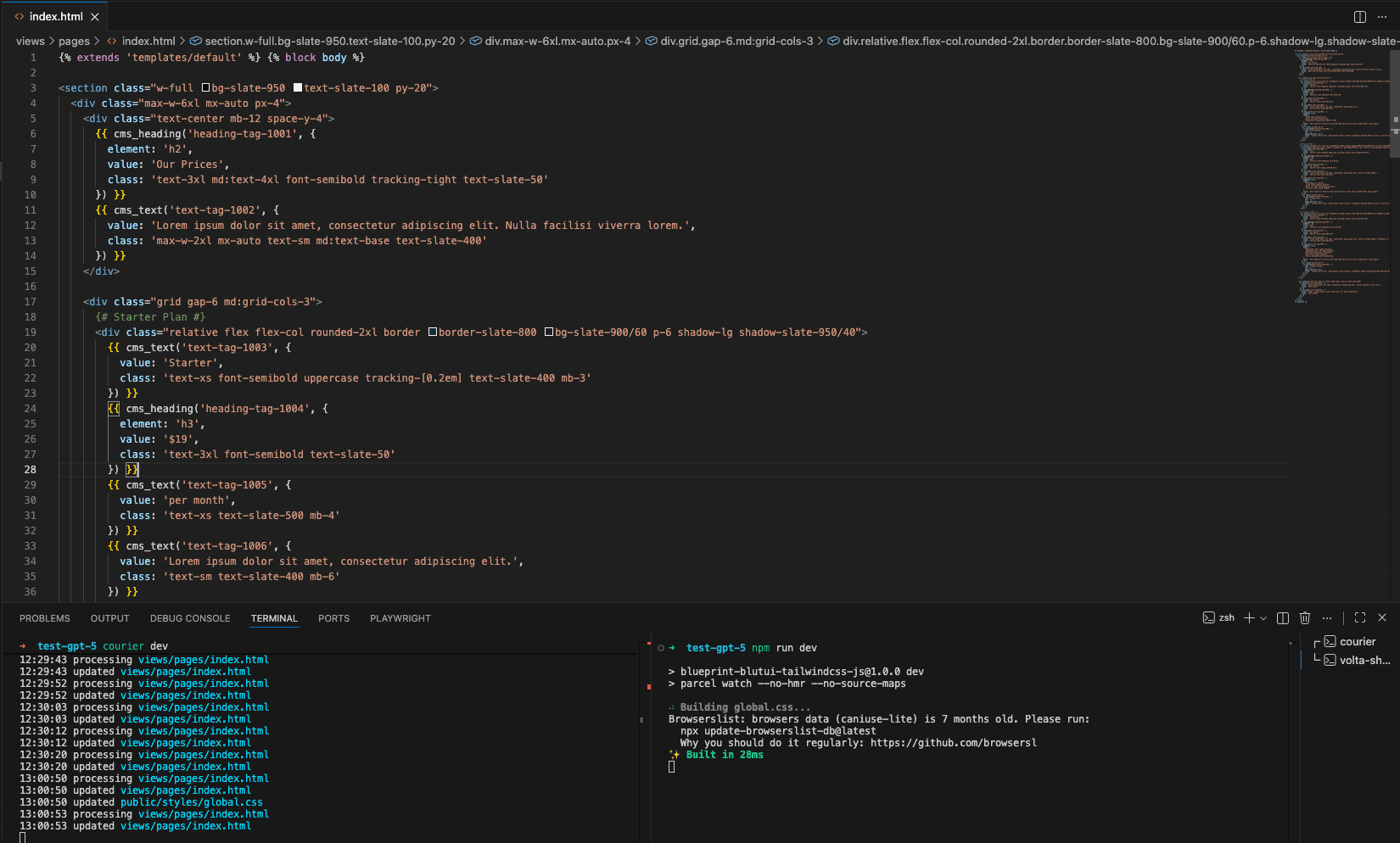
Open your Blutui project and paste the code.
View the changes.
Additional Resources
- For an overview of Canopy and how to use it, visit the Canopy overview.
Conclusion
You've now successfully integrated AI Components with your Blutui project.
Last updated on